Fall Engagement Announcement W1164B: A Digital Invitation Template
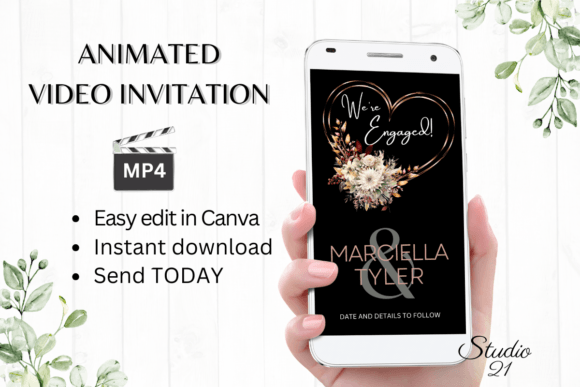
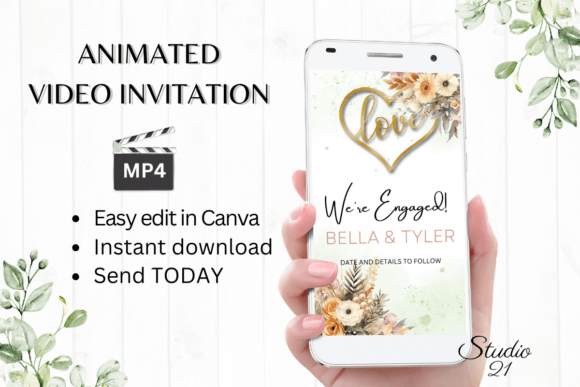
When a couple gets engaged in the fall, the announcement carries a specific weight. It’s not just about the news; it’s about capturing the warmth, the golden light, and the crisp, celebratory air of the season. The Fall Engagement Announcement W1164B is a digital animated video invitation template designed to do exactly that. It’s a pre-designed, editable asset that allows you to create a polished, professional-looking announcement video in minutes, using a free Canva account. This isn't a static image or a simple graphic; it's a dynamic, animated evite that brings your photos and details to life with subtle movement and elegant typography.
Understanding the Visual Language and Style
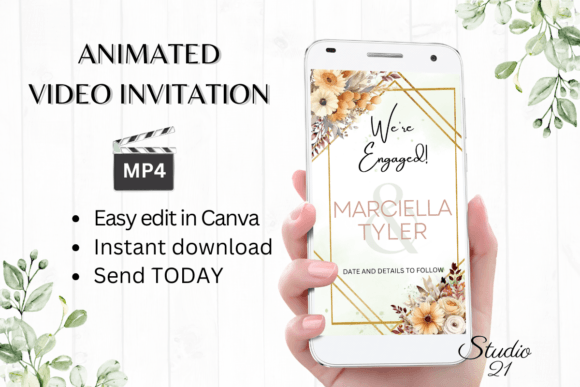
The design of the W1164B template leans into a modern, sophisticated aesthetic that feels both celebratory and intimate. The overall style avoids overly rustic or cartoonish fall tropes. Instead, it uses a refined color palette—think deep burgundies, warm golds, creamy ivories, and soft forest greens—to evoke the season's elegance. The typography is a key player here. The template typically pairs a graceful script font for the couple's names with a clean, highly legible sans serif font for the supporting details. This combination creates a clear visual hierarchy, ensuring the most important information (who is getting married) stands out beautifully while the date, time, and location remain easy to read.
The animation is subtle but effective. Elements might fade in gracefully, a photo might have a gentle zoom, or text might slide into place. This motion adds a layer of sophistication and engagement that a static image cannot match. It’s a form of modern typography in action, where the design isn't just about the shape of the letters but also about how they interact with the viewer over time. The template’s personality is one of polished joy—perfect for couples who want their announcement to feel current, stylish, and deeply personal without requiring a design degree to execute.
Practical Applications for Your Announcement
The primary use case is, of course, the engagement announcement itself. Once you personalize the template with your photos, names, and details, you download it as an MP4 file. This video file is incredibly versatile for sharing. You can send it directly via text message, iMessage, WhatsApp, or Facebook Messenger. It’s perfect for a private group chat with close family or a broader share to your social media story. The animated format is particularly effective in crowded digital spaces; it stops the scroll and commands attention in a way a static photo might not.
Beyond the initial announcement, this digital download asset can serve other purposes in your wedding journey. Consider using a still frame from the video as the profile picture for your wedding website or as the header image for a dedicated social media page. The consistent use of the same typeface and color scheme across these touchpoints begins to build a cohesive brand identity for your wedding, a detail that guests will notice and appreciate. It sets the tone for the entire event, hinting at the level of care and style they can expect.
Editing and Personalization: A Straightforward Process
The value of the W1164B template lies in its accessibility. The entire editing process happens within Canva, a free, browser-based design platform. You receive a PDF with a direct link to your own copy of the template. There’s no software to install and no fonts to purchase. The instructions guide you through the simple steps: replacing placeholder text with your own, swapping out demo photos with your favorite engagement shots, and tweaking colors if you desire. The ability to change font style, color, and size within Canva means you can adjust the design to better match your personal taste or the specific colors of your engagement photos.
This approach solves a common pain point. Many couples have beautiful photos but lack the tools or skills to turn them into a polished video announcement. Hiring a designer for a custom animated video can be costly and time-consuming, often requiring a waiting period for proofs. With this template, you maintain full creative control and can see your changes in real-time. You can experiment with different photos, test how different text looks, and perfect the timing, all on your own schedule. The result is a premium font-driven design that looks custom-made, delivered instantly.
Making the Design Work for You
When you open the template, take a moment to evaluate its components. Look at the font pairing provided. The script font is ideal for names and headlines, but it may not be suitable for long blocks of text. The sans serif companion is your workhorse for clarity. If you decide to change the fonts, follow the same principle: pair a decorative or expressive font for focal points with a neutral, readable one for details. This maintains the design assets’ intended balance.
Readability is paramount, especially on mobile devices where most people will view your announcement. Ensure your text has sufficient contrast against the background or any overlays. Canva’s tools make it easy to adjust text color or add a subtle shape behind text to improve legibility. Test the final video on your own phone before sending it out to check how it looks on a small screen. The template’s dimensions (1080x1920 px) are optimized for vertical viewing, which is the standard for stories and mobile feeds, ensuring your announcement looks its best wherever it’s shared.
Ultimately, the Fall Engagement Announcement W1164B template is more than just a pre-made design; it’s a practical tool that bridges the gap between a professional designer’s output and a DIY creator’s needs. It empowers you to produce a high-quality, engaging piece of creative font and motion design that truly celebrates your moment, all while respecting your time and budget. It’s a smart solution for sharing one of life’s happiest announcements with style and ease.